
Free AI Specialized Artistic Styles
The most advanced and reliable free AI-powered tools for specialized artistic styles. Save time and budget with these vetted solutions.
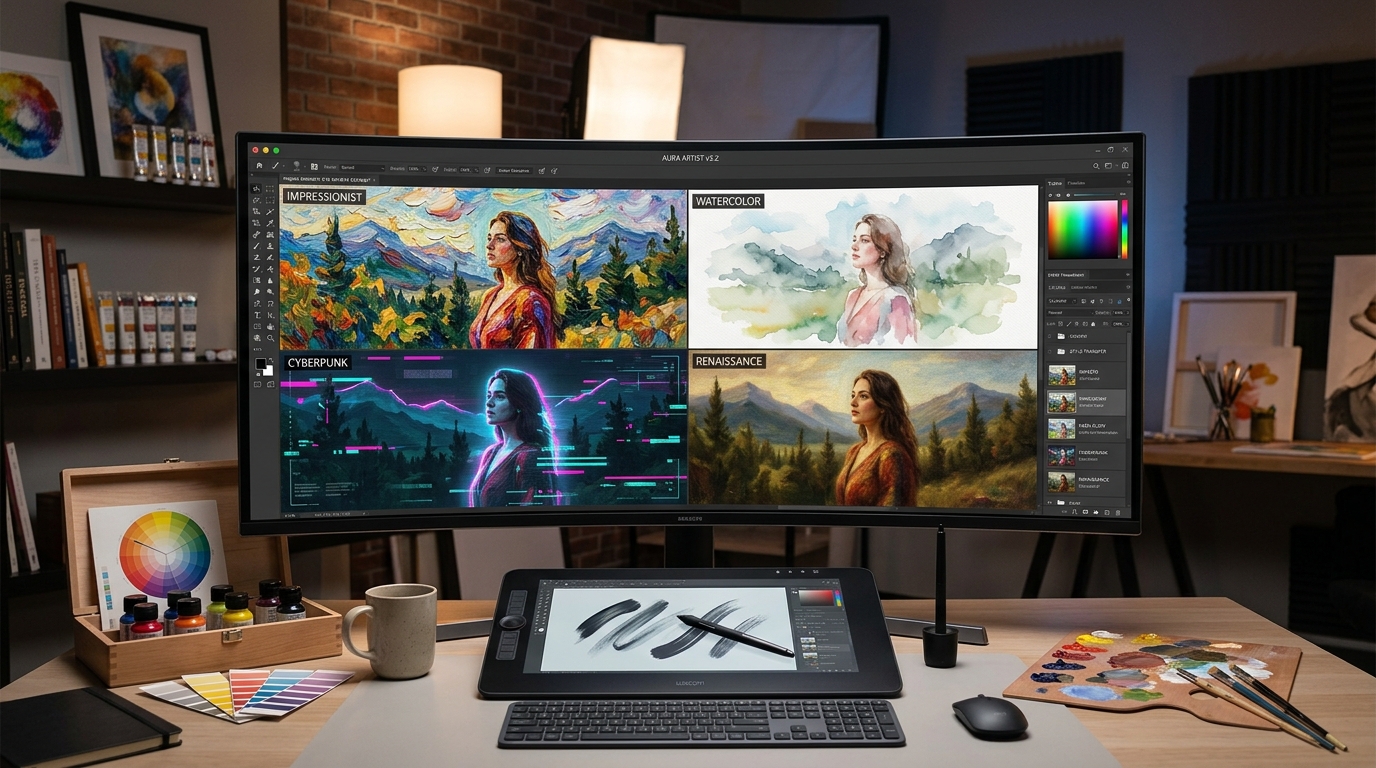
Why Turn to Free Specialized Artistic Styles AI Tools in 2026?
Specialized artistic styles AI tools are a distinct class of creative software that applies or generates a narrowly defined visual language—think oil painting, watercolor, anime, cyberpunk, glitch art, or even the brushstroke of a specific painter—onto your photographs, drawings, or text prompts. Unlike general-purpose image generators that produce anything, these tools are designed with a single focus: to reproduce or augment a particular aesthetic with high fidelity. In 2026, they have moved from experimental novelties to essential utilities for social media designers, indie game artists, brand creators, and hobbyists who want professional-grade visuals without mastering traditional art software.
These platforms use advanced neural networks—often built on diffusion or GAN architecture—that have been fine-tuned on vast datasets of artwork in specific genres. The result is that a simple upload of a portrait can be instantly transformed into a Van Gogh-inspired landscape, a watercolor illustration, or a pixel-art masterpiece. Because the niche is so rich, developers have built tools that let you control stylistic intensity, color palette, and even the level of abstraction. As demand for unique, shareable content grows, these free options offer a risk-free way to experiment before committing to paid subscriptions.
Among the best free tiers available, DeepArt gives you a straightforward style transfer engine with a handful of classic styles and a generous daily quota for non-commercial use. Artbreeder, meanwhile, focuses on generative portraits and landscapes with a "collaborative" twist—you can blend styles and genes of existing images, and its free plan lets you create and remix without watermark, though with limited high-resolution exports. Runway ML offers a free trial with a curated set of style transfer models that integrate directly into your video-editing workflow, perfect for motion designers. These platforms are the gateway to exploring artistic styles without spending a dime.
What Can You Do for Free with Specialized Artistic Styles Tools?
The free tier of most specialized artistic styles tools empowers you to complete a surprising range of tasks. You can transform portrait photos into anime-style characters for profile pictures or social media avatars—a staple for personal branding. You can take a landscape photograph and re-render it as a Van Gogh-inspired painting or a minimalist line sketch, then use those images for blog headers, posters, or even book covers. With tools like DeepArt, you can upload a photo and choose from dozens of preset styles, adjusting the "style strength" slider to find the perfect balance between realism and abstraction. For 3D artists, free style transfer can quickly generate concept art thumbnails, saving hours of manual texture painting.
However, free versions come with limitations that are worth understanding. The most common restriction is output resolution—free plans often cap at 1024×1024 or 512×512, which is fine for web use but not for high-quality print. Watermarks are also typical, particularly on platforms like Artbreeder, where the free tier adds a small logo in the corner of exported images. Then there are the quotas: DeepArt allows roughly 10–15 transforms per day, while Runway's trial has a limited number of video seconds you can process. You can avoid watermarks by cropping or using the "generate" button instead of the export function (when available), but the most effective workaround is to leverage the paid credit system only when you need a final, print-ready asset. Accept the limitations for early-stage ideation; you will still get immense value without paying.
Real-world scenarios where free tiers suffice are abundant. A social media manager preparing a week's worth of themed posts can generate 30–50 stylized images using the free quota, enough to maintain a consistent visual identity. A game developer prototyping a pixel-art version of their characters can use free style transfer to create sprite sheets, then hire an artist to polish only the essential frames. An art student can quickly explore the "what if" of applying Monet's style to their own photographs, generating references for a painting project. In these cases, the free tools are not just trial versions; they are the entire solution—if you can wait a minute between generations and you don't need ultra-high-resolution output, you are fully covered.
Key Features of Free Specialized Artistic Styles Tools
- Advanced Neural Style Transfer: Preserves the original composition while overlaying a chosen artistic style, letting you control the blend ratio to avoid destroying the photo's core elements.
- Real-Time Preview & Iterative Refinement: Most tools let you see a low-resolution preview before committing to a full render, enabling quick tweaks of style intensity, color shifts, and detail level.
- Curated Preset Libraries of Famous Movements: From Impressionism to Pop Art, eliminating the need to define prompts manually and providing consistent, reliable aesthetics.
- Batch Processing for Consistent Sets: Process multiple images with the same style—essential when creating a cohesive album cover or a set of marketing visuals, and often available in free plans at a slower speed.
- Community Gallery & Remix Environment: As seen on Artbreeder, explore what other users have created, use their images as a starting point, and learn by deconstructing style combinations.
- APIs & Plug-Ins for Design Tools: Some free tiers allow you to connect the style engine to Figma, Photoshop, or a custom Python script, bridging the gap between AI and your existing workflow.
Who Should Use Free Specialized Artistic Styles AI Tools?
The audience for free specialized artistic styles tools spans nearly every creative sector. Graphic designers who need quick visual concepts for mood boards or client pitches will find that these tools cut down research time from hours to minutes—instead of scrolling through stock photos, they can generate a dozen variations of an idea in the exact style they are considering. Content creators for platforms like Instagram, TikTok, or YouTube can maintain a unique aesthetic by applying a signature style to their thumbnails, story backgrounds, and video stills, which increases brand recognition without requiring advanced design skills. Even non-creative professionals like educators and marketers can turn dry presentations into visually engaging slides by converting charts and images into watercolor or sketch renderings, making the information more memorable.
For hobbyists, these tools are a gateway to artistic exploration without the steep learning curve of traditional media. A photographer can experiment with different artistic interpretations of their favorite shots, discovering a new perspective that might influence their editing style. A writer can generate evocative cover art for their self-published novel, choosing from gothic, minimalist, or art-deco styles that align with the book's tone. Students learning about art history can also benefit by uploading their own drawings and watching them transform into the styles of masters—engaging with the technology deepens their understanding of what makes each movement distinctive.
The moment to consider upgrading from a free plan is when you require commercial usage rights, ultra-high-resolution output, or a stable workflow without daily quotas. If you are selling your artwork, using it in a client's paid campaign, or printing large-format posters, the cost of a monthly subscription (typically $10–$30) is justified, as free versions often restrict commercial licensing or embed watermarks that devalue your product. Similarly, if you find yourself hitting the daily limit every single day and you have a deadline-driven project, paying for the premium tier will remove the friction. But for learning, brainstorming, and personal projects, the free tools are more than adequate—they might even inspire you to create work worth selling, at which point you can upgrade.
Best Free AI Specialized Artistic Styles Tools & Software
Explore our curated selection of verified free specialized artistic styles solutions, offering generous free plans, freemium features, or zero-cost access.