
Free AI Colors & Palettes
The most advanced and reliable free AI-powered tools for colors & palettes. Save time and budget with these vetted solutions.
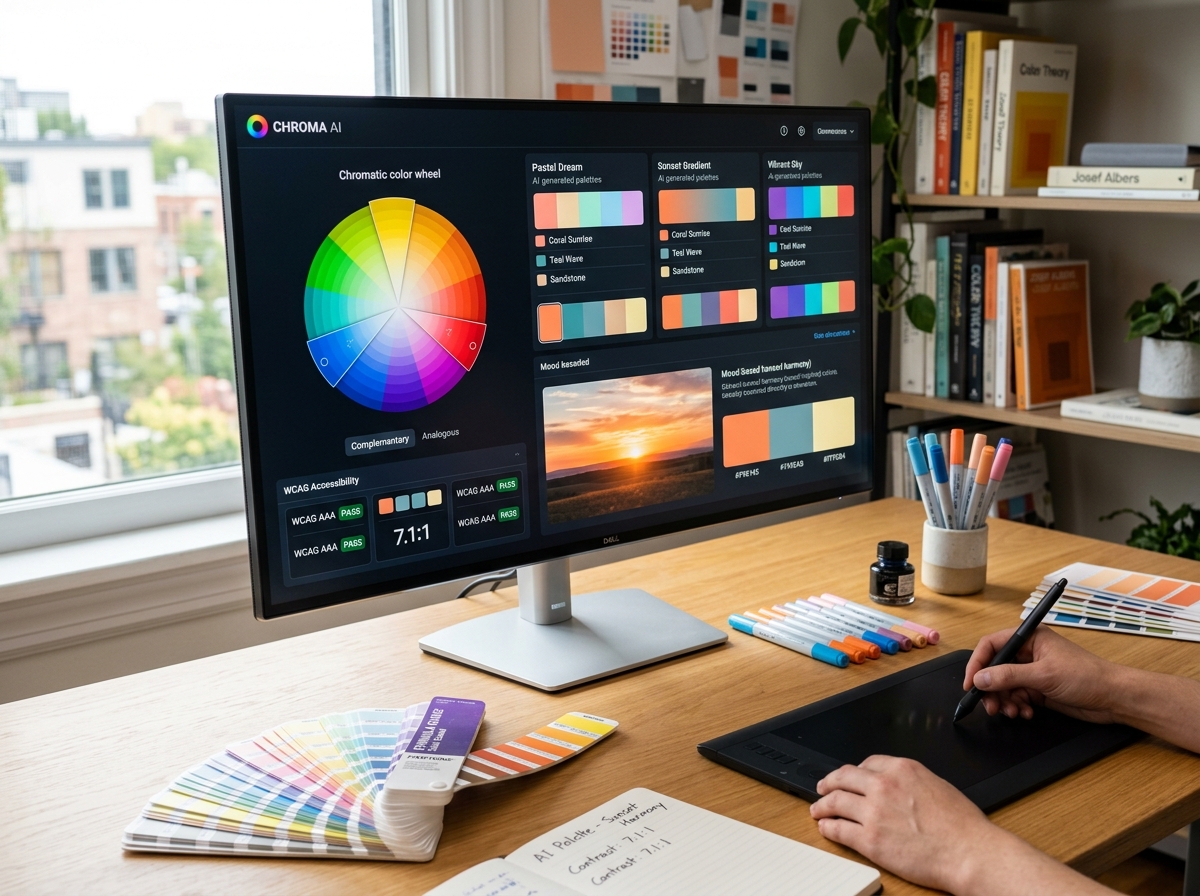
What Are the Best Free AI Colors & Palettes Tools in 2026?
AI-powered color palette generators have revolutionized the way designers, marketers, and hobbyists approach color selection. Instead of relying on intuition or endless manual tweaking, these tools leverage machine learning to analyze color theory, contrast ratios, and even emotional associations to produce harmonious palettes in seconds. Whether you're building a brand identity, designing a website, or creating social media graphics, a free AI color tool can save hours of trial and error. The best part? Many offer generous free tiers that let you generate, export, and test palettes without spending a dime.
In 2026, the demand for accessible, intelligent color tools has exploded. Remote teams, freelance designers, and even non-designers need quick, data-backed color decisions. Free AI palettes tools now integrate features like accessibility checks (WCAG compliance), colorblind simulation, and brand-specific extraction. They also often provide export options for CSS, SVG, and design tools like Figma and Adobe XD. The real value lies in their ability to suggest complementary, analogous, or triadic schemes based on a single input—a color hex, an uploaded image, or even a mood keyword like "calm" or "energetic."
Among the top free options, Coolors stands out with its intuitive palette generator and millions of shared palettes—its free plan allows unlimited palette creation with export limitations (only JPG, no SVG export). ColorMind uses a deep learning model to create palettes from uploaded photos, but the free version is capped at around 50 generations per day. Adobe Color offers robust color rule extraction and community themes, though full integration with Adobe apps requires a subscription. Each tool provides substantial free functionality, but watermarks on exports, daily generation limits, and restricted export formats are common trade-offs.
What Can You Do for Free with Colors & Palettes Tools?
Free AI color tools allow you to perform a wide range of tasks that would otherwise require expensive software or deep color theory knowledge. You can generate unique color palettes from scratch by specifying a seed color or by letting the AI surprise you with random harmonious combinations. Many tools let you lock individual colors while regenerating the rest—perfect for building a brand palette around a primary logo color. You can also extract up to five dominant colors from any uploaded image, turning a photo of a sunset or a product into a cohesive color story. This is invaluable for web designers who need to match a client’s existing visual assets or for social media managers curating Instagram themes.
Another common free feature is color accessibility analysis. Tools like Coolors include a contrast checker that evaluates text/background pairs against WCAG 2.1 standards (AA/AAA). This helps you avoid inaccessible color combinations that could alienate users with visual impairments. Some free plans also offer colorblind simulation modes, showing how your palette appears to someone with deuteranopia or protanopia. However, limitations exist: free tiers often restrict the number of palettes you can save in a library, add watermarks to high-resolution exports, or limit integrations to one or two design platforms. For instance, Adobe Color’s free version doesn’t let you sync themes directly into Photoshop or Illustrator without a Creative Cloud subscription.
Despite these constraints, the free versions are more than sufficient for most independent projects. A freelance designer can generate dozens of palettes for client mood boards, a student can create a complete color system for a UI design project, and a small business owner can test branding directions without hiring a professional color consultant. The key is to work within the daily generation limits and export your palettes as screenshots or PNGs if the tool restricts vector formats. Many users find that the free tier covers 90% of their needs, especially when combined with manual adjustments in free design tools like Canva or Figma.
Key Features of Free Colors & Palettes Tools
- AI-Generated Harmony Schemes: Using algorithms like monochromatic, analogous, complementary, and triadic, the tool automatically balances hue, saturation, and brightness. You can adjust the strictness of harmony rules or let the AI experiment with unexpected combinations that still follow color theory.
- Image Color Extraction: Upload any photo (JPEG, PNG) and the AI identifies the most visually dominant colors. Advanced tools even offer weighted extraction, where "mood areas" (like a sunset gradient) are prioritized over small accents. Free tiers typically limit image size or number of extractions per session.
- Accessibility & Contrast Check: Instantly see if your text and background colors meet WCAG AAA, AA, or fail criteria. Many tools overlay a pass/fail badge and suggest alternative shades. Some free versions limit the number of checks per day or only show detailed reports for logged-in users.
- Colorblind Simulation: Preview your palette through the eyes of users with protanopia, deuteranopia, tritanopia, or grayscale. This helps ensure your design communicates effectively to a wider audience. Free tools often offer only one simulation mode at a time, while pro versions let you compare all simultaneously.
- Export & Integration: Download your palette as CSS variables, SVG, PNG, or a shareable URL. Many tools provide direct integration with design platforms like Figma via plugins (though free plugins may have limited functionality). Note that free exports often include a small watermark or low resolution.
- Community Palettes & Trends: Browse millions of user-generated palettes sorted by popularity, mood, or color. This feature is a goldmine for inspiration. Free accounts can view and like palettes but may not be able to clone or remix them without an upgrade. Some tools also highlight seasonal trends (e.g., “Spring 2026” palettes).
Who Should Use Free Colors & Palettes AI Tools?
These tools are designed for anyone who needs to make intentional color decisions quickly—no graphic design degree required. Primary users include UI/UX designers who need to establish design systems, branding specialists crafting visual identities, and marketers creating consistent social media visuals. Even front-end developers who want to generate CSS-ready color tokens benefit from AI palettes. Students in design or communication courses also rely on free tools to experiment with color theory without investing in premium software. The low learning curve makes them accessible to beginners, while the AI suggestions offer depth for seasoned professionals.
For example, a freelance web designer might start a project by uploading a client’s logo to ColorMind, extracting 5 key colors, then refining the palette in Coolors to meet accessibility standards. A social media manager could use Adobe Color to generate a month’s worth of Instagram story palettes that align with a brand’s seasonal campaign. Non-designers, like startup founders building their own website, can use free tools to pick a professional color scheme that avoids common pitfalls like low contrast or clashing hues. In all these cases, the free version provides immediate value—no credit card needed.
However, you might consider upgrading if your workflow demands high-resolution watermark-free exports, unlimited daily generations, advanced integrations (e.g., direct Figma sync), or the ability to save an unlimited number of palettes to the cloud. Teams collaborating on brand guidelines will also benefit from shared libraries and version history offered in paid plans. But for individual creators, small businesses, and learners, the free tiers are more than capable. Start with coolors.co or colormind.io to see how much you can accomplish without paying. The only real cost is a few minutes of exploration—and you might discover that free is more than enough.
Best Free AI Colors & Palettes Tools & Software
Explore our curated selection of verified free colors & palettes solutions, offering generous free plans, freemium features, or zero-cost access.