
Free AI Editing & Stock Tools
The most advanced and reliable free AI-powered tools for editing & stock tools. Save time and budget with these vetted solutions.
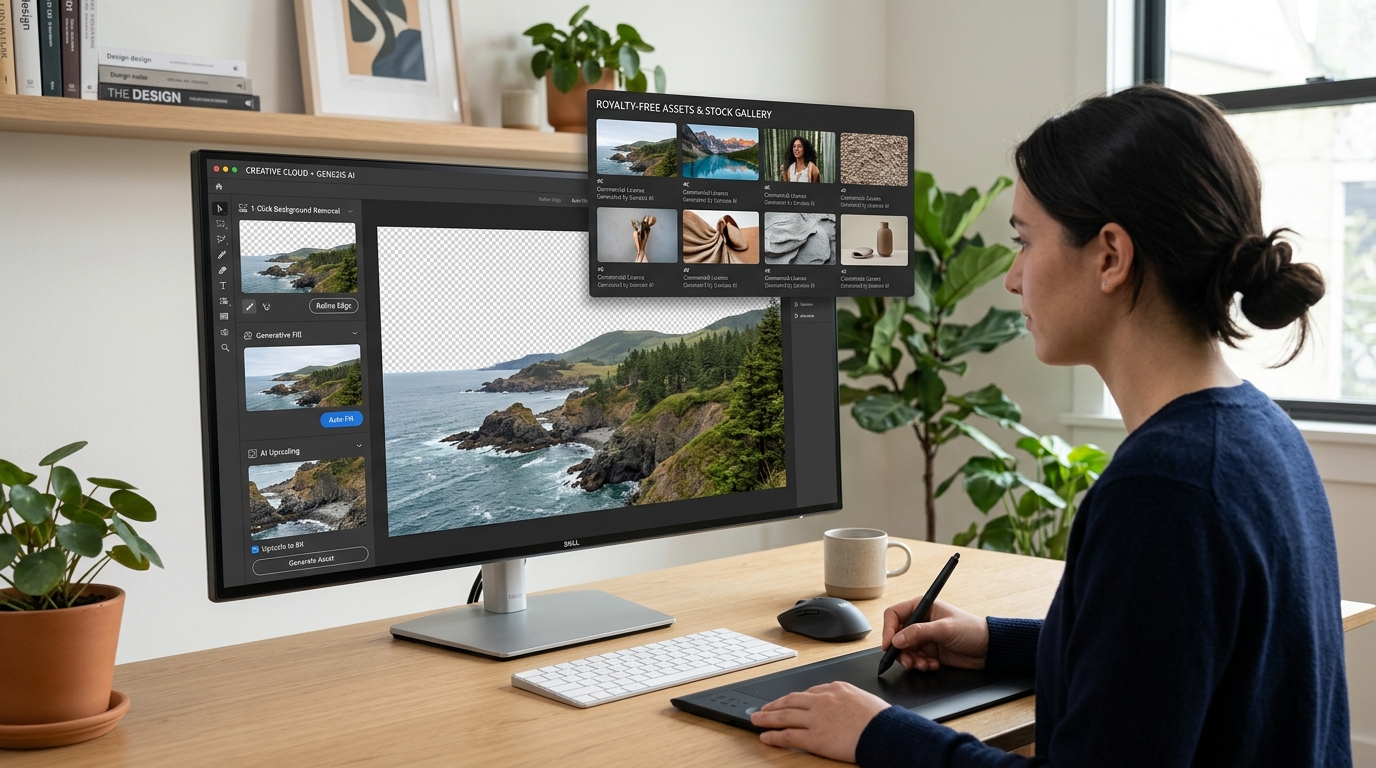
Can You Really Edit Images and Access Quality Stock Assets for Free in 2026?
The short answer is yes—provided you know where to look and what compromises to expect. AI Editing & Stock Tools represent a rapidly maturing category that merges generative image manipulation, background removal, text-to-image creation, and royalty-free asset libraries into single, often web-based, platforms. For freelancers, solopreneurs, and budget-conscious marketers, the appeal is obvious: why pay $50+ a month for Adobe Creative Cloud when you can remove backgrounds, upscale low-res photos, and generate mockups using free-tier AI tools? The value proposition in 2026 is stronger than ever, with open-source models and freemium SaaS products closing the gap with professional suites.
These tools are not just about applying filters; they leverage deep learning to understand context, lighting, and perspective. A typical workflow might involve uploading a product photo to remove the background, using an AI model to insert a lifestyle setting, then applying a cinematic color grade—all without leaving a single interface. By 2026, the demand for rapid, high-quality visual content for social media, e-commerce listings, and blog headers has made this category indispensable. The key is finding platforms that offer generous free quotas, decent resolution outputs, and no mandatory watermark, even if they limit advanced features like batch processing or commercial licensing of AI-generated assets.
Among the strongest free-tier contenders, Clipdrop stands out for its clean interface and reliable background removal and relighting tools. Canva remains the Swiss Army knife of design, offering thousands of stock templates, photos, and AI-powered magic edit features under its free plan. For users specifically after generative fills and expand capabilities similar to Photoshop’s, Pixlr gives you a surprising amount of power without a credit card. Each of these tools reconciles ease of use with genuine AI depth, making them excellent starting points for anyone exploring this category.
What Can You Do for Free with AI Editing & Stock Tools?
The range of tasks achievable at zero cost is broader than most people assume. You can remove or replace backgrounds with one click—essential for product photography or headshots—using tools like Clipdrop or Canva’s background remover (available with limited uses per day). Text-to-image generation, once the exclusive domain of DALL·E 3 or Midjourney subscriptions, is now accessible via Canva’s “Magic Media” feature, which offers a handful of daily credits. You can also upscale low-resolution images to near-print quality using AI super-resolution, though free tiers often cap output at 2x or 4x magnification.
However, free versions come with notable limitations. Watermarks are the most common hurdle—some tools overlay a small logo in the corner, others embed a subtle text stamp that can be cropped but not removed without upgrading. Quotas can feel restrictive: you might get only 10 background removals per month, or 5 generative fill attempts daily. Moreover, export resolutions are often capped at 1080p or 2K, and commercial usage rights for AI-generated stock images may require attribution or a paid license. Performance is also throttled: free users often wait in a queue or experience slower rendering speeds during peak hours. Accepting these boundaries is part of the deal, but they rarely prevent you from completing a solid social media asset or a personal project.
In real-world scenarios, the free tier suffices beautifully for low-volume needs. A blogger creating a single feature image per week, a small business owner designing product flyers for Etsy, or a student assembling a presentation can all get by without spending a dime. The key is to plan around the limits: batch your work into one day to avoid daily caps, and always double-check the license terms if you intend to sell designs incorporating AI-generated elements. For many, the free offering is not just a trial—it is a sustainable, if slightly slower, creative workflow.
Key Features of Free AI Editing & Stock Tools
- One-Click Background Removal & Replacement: Free plans let you upload a portrait or product image and automatically isolate the subject with remarkable edge detection. You can then swap the backdrop for a solid color, a custom image, or an AI-generated scene. The quality is often comparable to manual clipping paths, though tricky subjects like hair or transparent objects may show slight artifacts. Tools like Erase.bg excel here, offering up to 50 free removals per month.
- Generative Fill & Context-Aware Expansion: Borrowed from the Photoshop playbook, generative fill lets you select an area of an image and replace it with AI-created content based on a text prompt. Free tiers usually limit this to a few operations daily (e.g., Canva gives 50 total Magic Studio credits), and the output resolution may be lower than premium versions. Still, it is transformative for removing unwanted objects or extending landscapes beyond their original frame.
- Text-to-Image Generation with Stock Integration: Unlike standalone AI art generators, these tools embed generation directly into a design workspace. You type a description like “modern office with plants, warm lighting, 4K,” and the tool produces several variants you can drop straight into your layout. Free versions typically use a different, less refined model than the pro tier, resulting in occasional anatomical errors or lower fidelity. They also limit you to a handful of generations per day, so you must be intentional with your prompts.
- AI-Powered Upscaling & Denoising: Free upscalers can increase image resolution by 2x to 4x while reducing JPEG artifacts and noise. This is invaluable for turning thumbnails into viable print files or improving old, grainy photos. The catch: some free services impose a 1,000px minimum on the source side, and output files may be saved as lower-quality JPEG instead of PNG. Still, for web use, the results are often indistinguishable from expensive dedicated upscalers.
- Royalty-Free Stock Image & Video Libraries: Integrated stock catalogs are a huge time-saver. Instead of searching Unsplash or Pexels separately, you can browse millions of curated images directly within the editor. Free plans usually include access to the basic library, with premium “pro” assets locked behind a subscription. Additionally, AI-generated images from your prompts are often added to the platform’s stock pool, which means you might need to check licensing if you use a very distinctive generated asset commercially.
- Batch Processing & Template Automation: Some tools allow you to apply an effect or resize to multiple images at once. Free tiers usually cap batch size at 5-10 images or limit the export folder to a single format. For a small e-commerce catalog of twenty products, this means you might need to run the batch twice—once in the morning and once after the reset—but it still beats manual editing. Template systems let you save a layout and automate social media resizing, a massive efficiency gain for content creators.
Who Should Use Free AI Editing & Stock Tools?
This category is tailor-made for non-designers who need professional-looking visuals without the learning curve of traditional software. Social media managers, solo entrepreneurs, real estate agents, and educators form the core audience. These users often create one-off graphics for Instagram stories, Facebook ads, property flyers, or instructional slides and cannot justify a monthly Adobe subscription or a stock photo membership. The low barrier to entry means you can maintain a consistent brand presence with minimal overhead—just a browser and a free account.
A concrete example: a freelance yoga instructor wants to promote a new online class. She uses Canva’s free template library to build an Instagram carousel, removes the background of a studio photo with Clipdrop, adds a serene AI-generated landscape behind her, and exports a 1080px square image—all within an hour, at no cost. Had she needed a custom illustration, she would have spent $50 on a Fiverr gig. Similarly, a startup founder preparing a pitch deck can use Pixlr to upscale logos, remove product background shadows, and apply a consistent color palette across slides. In both cases, the free tools deliver results that are indistinguishable from professional work to the average viewer.
When should you consider upgrading? If you produce more than 50 assets per month, need commercial licenses for all AI-generated outputs, require 4K exports, or rely on batch processing for hundreds of images, the free tier will become a bottleneck. Likewise, if you collaborate with a team and need brand kits, version history, and shared permissions, a paid plan is inevitable. But for the vast majority of casual to moderate creative work, the free tools in this directory are more than capable. They let you test the waters, build a workflow, and only invest when your volume demands it. In 2026, the line between free and paid has never been thinner—especially for AI Editing & Stock Tools.
Best Free AI Editing & Stock Tools Tools & Software
Explore our curated selection of verified free editing & stock tools solutions, offering generous free plans, freemium features, or zero-cost access.