
Free AI Photo Editing & Retouching
The most advanced and reliable free AI-powered tools for photo editing & retouching. Save time and budget with these vetted solutions.
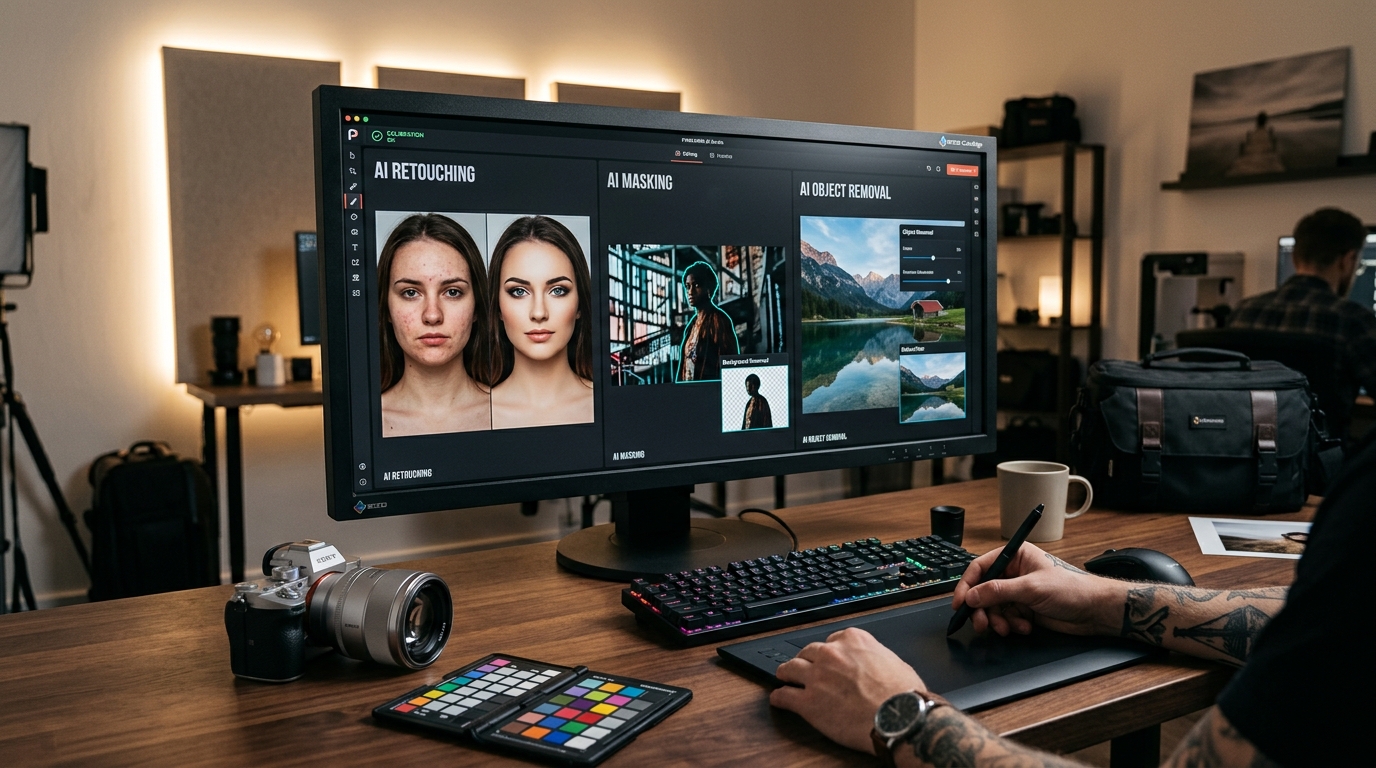
What Are the Best Free Photo Editing & Retouching AI Tools in 2026?
Photo editing and retouching have been revolutionized by artificial intelligence, turning once‑tedious manual tasks into one‑click operations. Whether you need to remove a background, smooth skin, enhance colors, or erase unwanted objects, AI‑powered tools now make professional‑grade results accessible to everyone — often without spending a penny. In 2026, the gap between free and paid photo editing software has narrowed dramatically, with many AI tools offering generous free tiers that handle the vast majority of everyday editing needs.
This category of tools leverages computer vision and deep learning to understand image content and apply intelligent adjustments. Instead of painstakingly masking areas or cloning pixels by hand, you simply describe what you want or let the AI detect the scene. For instance, retouching portrait shots — removing blemishes, whitening teeth, adjusting lighting — now happens in real time. Similarly, background removal, which once required precise manual selection, is done instantly with near‑perfect accuracy. As we move further into 2026, these capabilities have become standard even on free platforms, making them indispensable for social media managers, small business owners, bloggers, and casual photographers alike.
Among the many options, three tools stand out for their robust free offerings. Canva provides a comprehensive online editor with AI‑powered background removal, magic eraser, and one‑tap filters — all available in its free plan. Pixlr offers a full‑featured browser‑based editor with AI tools for object removal, color correction, and even AI‑generated backgrounds. Meanwhile, Adobe Photoshop Express brings desktop‑class retouching to mobile devices, including automatic red‑eye removal, contrast enhancement, and a simple clone tool, all without requiring a subscription. Each of these tools places limitations on export resolution, use of premium assets, or processing speed in the free tier, but they remain remarkably capable for everyday use.
What Can You Do for Free with Photo Editing & Retouching Tools?
Free AI photo editing tools empower you to accomplish a wide range of tasks that once demanded expensive software or professional expertise. You can remove backgrounds from product photos, portraits, or graphics with 95–99% accuracy in seconds — ideal for e‑commerce listings or social media posts. Skin retouching, including blemish removal, smoothing, and even virtual makeup, is available with a single click. Many tools also include AI‑powered upscaling that increases image resolution without quality loss, an absolute boon for printing low‑resolution screenshots or older photos.
Color adjustment is another strong free feature: you can enhance exposure, contrast, saturation, and white balance automatically or manually. Some platforms even offer selective color editing, letting you change the hue of a particular object without affecting the rest of the scene. Object removal has become surprisingly accessible — tools like Pixlr’s “AI Remove” let you paint over unwanted elements (power lines, photobombers, logos) and the AI fills in the gap convincingly. Watermark removal is also possible, though free versions often add a small watermark to the output or limit the export resolution to 1080p or lower.
Real‑world scenarios where free tools shine include preparing images for blog thumbnails, creating memes, retouching personal portraits for resumes or dating profiles, and even generating social media visuals with AI‑generated backgrounds. For instance, a small business owner selling handmade crafts can use Canva’s free background removal and text overlay to create consistent product shots without hiring a designer. A student can use Pixlr to clean up scanned documents or enhance presentation slides. The free tiers cover 80–90% of typical non‑professional needs.
However, limitations remain. Free accounts often cap the maximum image resolution for exports (e.g., 2048×2048 or 3000×3000 pixels). Some tools insert a small watermark or demand attribution when using AI‑generated assets. Processing speed may be throttled, meaning advanced edits take longer. Additionally, advanced features like gen‑fill (entirely replacing parts of an image using text prompts) or batch processing are usually locked behind paywalls. Understanding these boundaries helps you choose the right tool for each project without frustration.
For most users, the free versions are more than sufficient. Need to quickly erase a bus from a vacation photo? Free. Want to create a polished headshot for LinkedIn? Free. Looking to design a simple flyer with a transparent background? Free. The keywords are “quick” and “simple” — if your workflow involves only a few images per session and you don’t require ultra‑high resolution prints, free AI photo editing tools deliver outstanding results.
Key Features of Free Photo Editing & Retouching Tools
- AI Background Removal: Instantly isolate subjects from their backgrounds using deep learning segmentation models. Free tiers often process images up to 2048×2048 pixels and export without watermarks on mainstream tools like Canva, but may limit the number of removals per day (e.g., 10 downloads per month in Canva’s free plan). Suitable for product photography, portraits, and social media graphics.
- One‑Tap Retouching Presets: Apply professional‑grade portrait enhancements (skin smoothing, blemish removal, teeth whitening, eye brightening) with a single click. Free versions usually offer 3–5 presets; advanced skin tone adjustments or age‑progression filters are gated. Pixlr, for example, includes a “Portrait” retouch tab with basic smoothing and blemish removal at no cost.
- AI‑Powered Object Removal: Paint over unwanted elements and let the AI reconstruct the background. In free accounts, you’re typically limited to three to five removal operations per image, and the algorithm may struggle with complex textures (e.g., removing a person from a grassy field). Tools like Pixlr’s “AI Remove” work well for simple distractions like text, power lines, or small objects.
- Color & Lighting Auto‑Adjust: Algorithms analyze your photo and correct exposure, white balance, and contrast automatically. Free versions often offer an “Auto Enhance” button that works beautifully for landscapes, portraits, and product shots. Manual sliders for curves or selective color editing are typically reserved for paid plans.
- AI Upscaling & De‑noising: Increase image resolution by 2x–4x while preserving details and reducing noise. Free tiers limit output size (often up to 2× or 4× only on files under 1 MP) and add a subtle watermark. This feature is especially valuable for restoring old family photos or preparing web images for print.
- Text & Element Overlay: Easily add text, stickers, or basic shapes to images. Free versions include hundreds of fonts and graphics, though premium assets are marked with a crown icon. Canva’s free library includes over 250,000 templates and elements, making it a Swiss Army knife for social media content.
Who Should Use Free Photo Editing & Retouching AI Tools?
This category is ideal for anyone who needs to edit images casually or semi‑professionally without investing in expensive software. The primary audience includes social media managers, freelancers, small business owners, content creators, students, and hobbyist photographers. If your monthly image editing workload stays under 50–100 images and you don’t require full‑resolution 24‑megapixel exports, free tools will serve you well.
For example, a wedding photographer might use a free tool to quickly retouch a few proofs before sending to clients, but would still rely on Lightroom or Capture One for final edits. A teacher creating classroom materials can use Pixlr to crop and adjust photos of field trips. A real estate agent can remove backgrounds from property photos using Canva’s free background remover to create virtual staging collages. Each of these scenarios benefits from the speed and accessibility of AI‑driven editing — no installation, no learning curve.
When should you consider upgrading? If you need batch processing (e.g., editing hundreds of product images), advanced gen‑fill capabilities, commercial‑use rights for AI‑generated assets, or watermark‑free exports at 4K resolution, a paid plan starts to make sense. Also, professionals who require layer‑based editing, RAW file support, or integration with Adobe Creative Cloud will likely need a subscription. But for the vast majority of non‑commercial and small‑scale commercial use, the free tiers of Canva, Pixlr, and Adobe Photoshop Express deliver more than enough power to elevate your images.
Best Free AI Photo Editing & Retouching Tools & Software
Explore our curated selection of verified free photo editing & retouching solutions, offering generous free plans, freemium features, or zero-cost access.