
Free AI Visual & Mockup Generators
The most advanced and reliable free AI-powered tools for visual & mockup generators. Save time and budget with these vetted solutions.
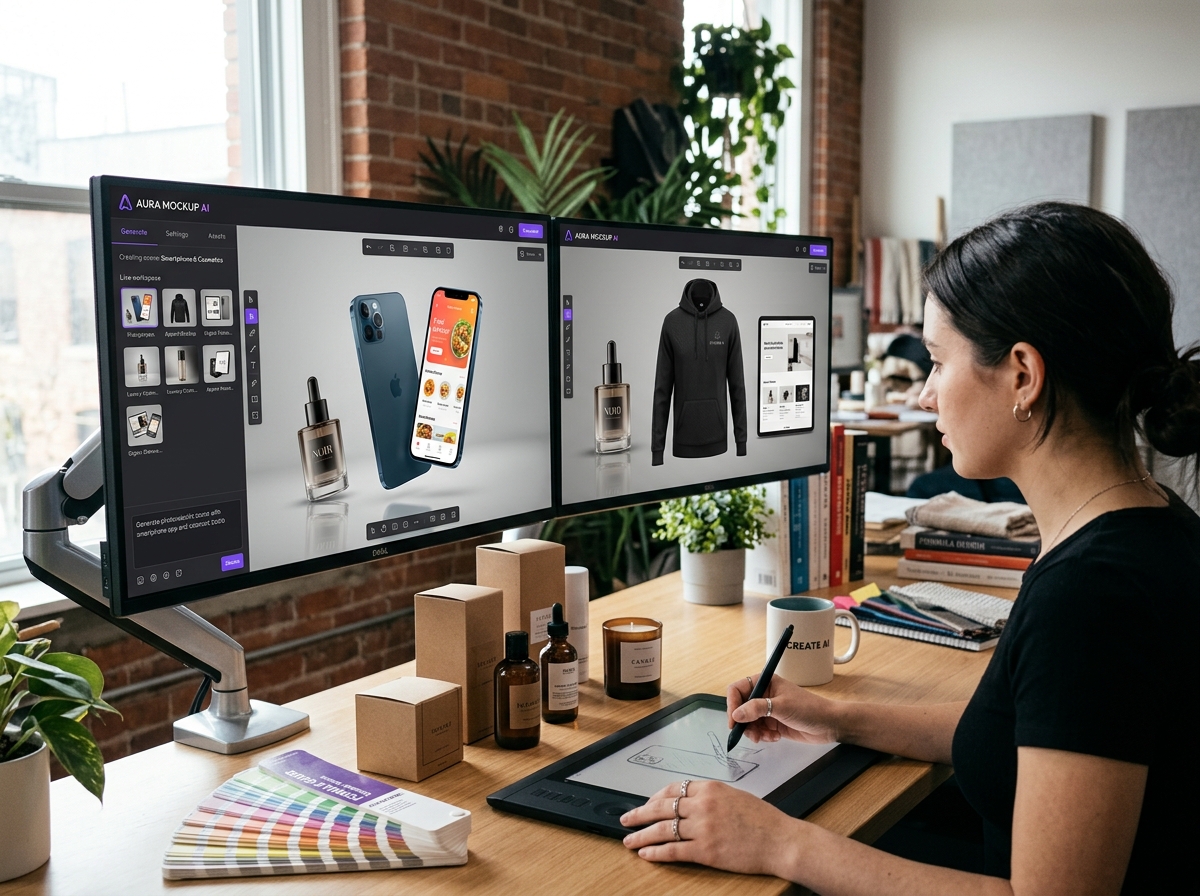
What Are the Best Free AI Visual & Mockup Generators for 2026?
AI Visual & Mockup Generators use machine learning to transform text prompts, sketches, or layout constraints into realistic visuals, product mockups, wireframes, and full-fidelity prototypes. Unlike traditional design software that demands hours of manual work, these tools let you generate high-quality images and interface previews in seconds. For free users, the value is enormous: you can create social media graphics, app screenshots, branding materials, and even rough UI prototypes without spending a dime on subscriptions or hiring a designer.
In 2026, the demand for rapid visual prototyping has exploded across startups, freelancers, and marketing teams. Businesses need to test product concepts, A/B test landing page mockups, and produce consistent brand assets quickly. Free AI mockup generators lower the barrier to entry so that anyone—from a solo entrepreneur to a student—can iterate on design ideas before committing to a full production workflow. The AI handles the heavy lifting of perspective, lighting, and material rendering, letting you focus on the creative direction.
Among the most accessible free tools, Canva offers thousands of AI‑powered templates and a built‑in mockup generator (Pro version limits some assets). Uizard provides a generous free tier for converting hand‑drawn wireframes into digital screens, and Mockplus gives free users access to basic prototyping and dynamic UI components. Each has clear limits—watermarks on exported assets, lower resolution, or capped projects—but for learning and early‑stage validation, they are more than enough.
What Can You Do for Free with AI Visual & Mockup Generators?
Even without paying, you can accomplish a surprising amount. For example, you can generate professional product mockups—like a smartphone showing your app interface or a coffee mug with your logo—by simply describing the scene. Canva’s free mockup generator lets you apply your artwork to pre‑rendered 3D objects, while Uizard transforms your rough sketches into clean, editable wireframes. Free users can also produce social media visuals, blog headers, and simple animated banners using built‑in AI filters and background removal tools.
However, limitations are real. Most free tiers impose watermarks on exported files (Canva Pro removes them, but free exports carry a small logo). Resolution caps are common—free users often get 1080p or lower, while paid plans unlock 4K exports. Some tools also throttle generation speed; you may wait 30‑60 seconds per mockup instead of near‑instant results. You can work around these by using multiple free accounts, time‑shifting your projects, or accepting the watermark as a temporary placeholder until you upgrade.
Realistically, free versions shine in early‑stage scenarios: pitching a concept to stakeholders, creating low‑fidelity prototypes for user testing, or designing album covers for personal projects. Many indie founders launch their first marketing site using only free mockups from Canva and Uizard. The key is to treat the free tier as a sandbox—test your ideas, gather feedback, and only invest in a paid plan when the project requires polished, watermark‑free deliverables.
Key Features of Free AI Visual & Mockup Generators
- Text-to-Image Mockup Generation: Turn natural language prompts into realistic product scenes. For instance, typing “a white T-shirt with a sunset gradient print” creates a photorealistic mockup. Free users typically get 10–20 generations per day with lower resolution.
- Wireframe & Prototype Conversion: Upload a photo of a hand‑drawn sketch or a screenshot of a competitor’s app and let the AI convert it into editable UI components. Uizard’s free plan allows up to 5 projects, each with 3 screens.
- Embedded Template Libraries: Thousands of pre‑designed mockup templates for devices (iPhone, iPad, MacBook), signage, packaging, and apparel. Free users can customize colors, text, and replace placeholder images, but premium templates often require a subscription.
- AI Background Removal & Smart Cropping: Instantly isolate objects from their backgrounds to place them into any mockup scene. Free users get limited monthly removals (e.g., 50 on Canva) and lower quality edges.
- Collaboration & Sharing: Share mockups with team members or clients for feedback directly within the tool. Free plans often limit collaborators (e.g., 1–2 people) and don’t include version history or real‑time co‑editing.
- Export in Multiple Formats: Download your work as PNG, JPG, PDF, or even animated GIFs. Free tiers typically restrict PDF export to standard resolution and add a small watermark. Exporting vector formats (SVG) is usually a paid feature.
Who Should Use Free AI Visual & Mockup Generators?
These tools are perfect for solopreneurs, freelancers, and small marketing teams who need quick visuals without a design budget. A startup founder can mock up a landing page hero image in minutes instead of paying a graphic designer $200 per visual. Freelance content creators use them to produce consistent thumbnails, Instagram posts, and ebook covers. Students and educators also benefit: a teacher can generate lesson‑related mockups to make materials more engaging, while a design student can rapidly test ideas before finalising a portfolio piece.
Concrete use cases include: a toy company creating packaging mockups for a new product line using Canva’s AI; a mobile app developer generating screenshots for an App Store preview with Uizard; or a small e‑commerce brand producing lifestyle images for product listings with Mockplus. Even non‑designers can describe a scene like “a woman holding a skincare bottle in a bathroom” and receive a photorealistic image ready for social media.
When should you consider upgrading? If you need watermark‑free exports for client deliverables, require HD or 4K resolution for print, or want to collaborate with a large team in real time, a paid plan makes sense. Also, if you hit the daily generation limit repeatedly, upgrading removes caps and often adds advanced AI features like custom style training. For most personal and early‑stage commercial projects, the free tier is sufficient—just treat the watermark as a temporary overlay that you can later remove.
Best Free AI Visual & Mockup Generators Tools & Software
Explore our curated selection of verified free visual & mockup generators solutions, offering generous free plans, freemium features, or zero-cost access.