
Free AI App Builder
The most advanced and reliable free AI-powered tools for app builder. Save time and budget with these vetted solutions.
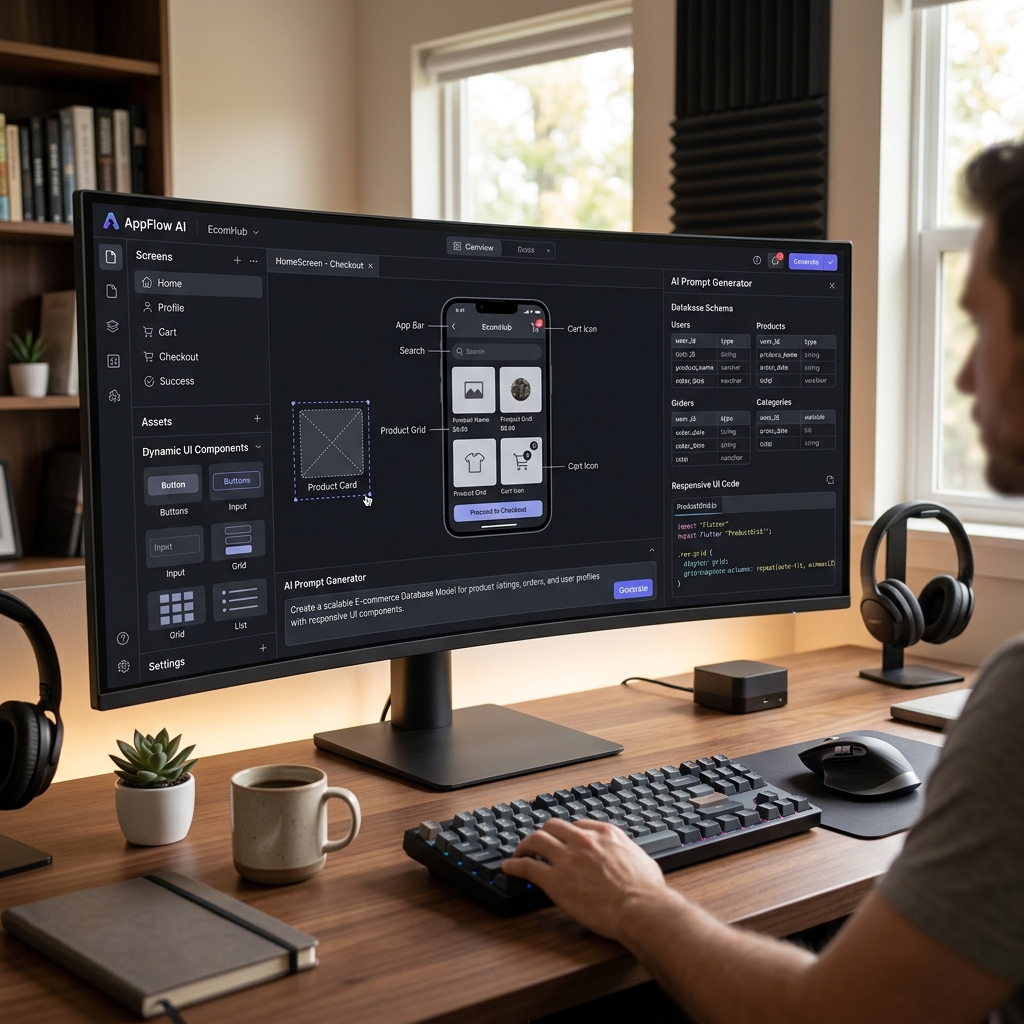
What Are Free AI App Builder Tools and How Can They Help You Build Apps Without Coding?
Free AI app builder tools are cloud‑based platforms that leverage artificial intelligence to simplify the process of creating mobile and web applications without requiring traditional programming skills. Instead of writing hundreds of lines of code, you describe your app idea in plain language, and the AI suggests components, layouts, and logic flows. This category has exploded in popularity because it lowers the barrier to entry for entrepreneurs, small business owners, and non‑technical professionals who need functional applications fast. In 2026, these tools have become even more intuitive, often including natural language prompts that can generate a working prototype in minutes rather than weeks.
Typical use cases range from simple to‑do list apps and customer feedback forms to more complex e‑commerce storefronts and internal dashboards. Because the underlying AI can handle data relationships, user authentication, and responsive design, even free‑tier users can deploy an app that looks professional and performs reliably. This is especially valuable for startups on a shoestring budget: you can validate your product idea with real users before investing in a custom‑coded solution. Moreover, many free AI app builders now integrate with common services like Stripe, Google Sheets, and Firebase, so your minimal viable product can actually handle payments and data syncing out‑of‑the‑box.
For example, Bubble offers a generous free plan that lets you build unlimited apps with its visual programming environment, though you’ll see a “Made with Bubble” watermark and face constraints on storage (10 MB) and workload units. Adalo provides a free tier that supports up to 50 database records and 500 users—ideal for a simple booking app or a membership directory. Meanwhile, Glide allows you to create a data‑driven app from a Google Sheet for free, with a limit of 250 items and Glide branding. Each of these platforms demonstrates how AI is replacing manual coding: Bubble’s AI assists with workflow logic, Adalo recommends UI components based on your data fields, and Glide automatically generates mobile‑optimized layouts from spreadsheet columns.
What Can You Do for Free with Free AI App Builder Tools?
With the free tier of a modern AI app builder, you can accomplish a surprising number of practical tasks. You can design a fully interactive prototype for a new business idea—complete with user registration, a database to store entries, and push notifications—without spending a dime. For instance, you could build a habit‑tracking app that lets users log daily activities, view charts, and receive reminders. Many free plans also support basic e‑commerce flows: a digital products store with Stripe integration (though transaction fees may be higher than paid plans). Additionally, you can create internal tools for your team, such as a task manager, a CRM, or an expense report system, all accessible from any browser.
However, free versions come with limitations that are important to understand. The most common are watermarks (e.g., “Powered by Adalo” or a Bubble footer), reduced database storage (often capped at 50–500 records), and limited automation workflows. Some tools throttle the number of monthly active users or restrict the use of custom domains, forcing your app to live on a subdomain like yourapp.bubbleapps.io. Performance can also be slower on free tiers, and you may have access to only a subset of pre‑built templates or AI‑powered suggestions. That said, these restrictions rarely hinder learning, prototyping, or even launching a small‑scale app for friends, family, or a local community group.
Concrete scenarios where the free version is more than enough include: a student building a campus event board to showcase club activities (capped at 200 users, no problem), a freelancer creating a portfolio‑in‑app to display past projects, or a non‑profit organizing a donation‑matching program with 100 records. As long as you stay within the free quota boundaries, you can get real value—and often attract early adopters who provide feedback for the paid upgrade later.
Key Features of Free AI App Builder Tools
- Drag‑and‑Drop Visual Editor – Every leading free AI app builder offers an intuitive canvas where you can place buttons, text fields, images, and containers by dragging them into place. The AI often suggests adjacent components (like a “sign‑in” button after you add an email text box), speeding up the design process significantly.
- AI‑Powered Workflow Automation – Instead of manually linking pages and logic, you can describe what should happen (e.g., “when a user clicks ‘Save,’ add the data to the database and send a confirmation email”) and the AI generates the underlying workflow. Some tools even allow natural language triggers like “every Monday at 9 AM send a reminder” without complex conditional rules.
- Pre‑built Templates & Data Models – Free plans come with a library of ready‑to‑use templates for common app types: event booking, e‑commerce, directory, feedback, journal, and more. The AI also helps you create a data schema by inferring from the template, so you don’t have to define fields manually.
- Third‑Party Integrations – Free tiers typically support connection to at least one external service like Stripe (test mode), Google Sheets, Zapier, or Mailchimp. This allows you to handle payments, sync data with spreadsheets, or trigger email campaigns without writing a single line of code.
- Responsive & Mobile‑First Design – All modern builders automatically generate views that work on various screen sizes, though customisation may be limited on free plans. The AI adjusts element sizes and spacing so your app looks professional on phones, tablets, and desktops without extra effort.
- One‑Click Publishing & Sharing – You can deploy your app to a live URL (often a subdomain of the builder) with a single click. The free plan may include a simple QR code generator for easy testing on mobile devices, and some tools even let you install the app as a progressive web app (PWA) directly from the browser.
Who Should Use Free AI App Builder Tools?
Free AI app builders are designed for non‑programmers who need to turn an idea into a working application quickly and cost‑effectively. This includes solopreneurs testing a business hypothesis, product managers wanting to demonstrate a feature to stakeholders, and educators developing learning tools for their students. Because the learning curve is gentle—many platforms offer tutorials and community forums—even people with zero technical background can become proficient within a few hours. Small business owners who want a custom booking system without hiring a developer are another ideal audience; they can build something tailored to their specific workflow, then iterate based on customer feedback.
For example, a freelance graphic designer might use Glide to create a client project tracker that syncs with a Google Sheet, while a local gym owner could use Bubble to build a class registration app that emails confirmations automatically. In both cases, the free version supports the core functionality without recurring cost. Similarly, a university club can launch an event‑planning app with Adalo to manage RSVPs and share photo galleries among members without worrying about server maintenance.
The decision to upgrade from the free plan typically comes when you hit one of three thresholds: you need to remove the builder’s branding to appear professional, you require a custom domain to build brand trust, or your user base and data volume outgrow the free tier’s quotas. If your app suddenly gains 10,000 users and 5,000 database rows, the free limitations will become painful. At that point, upgrading to a paid plan (often starting around $20–$30 per month) unlocks white‑labeling, faster performance, and priority support. But for early‑stage projects and internal tools, the free versions are more than capable—and they allow you to validate your concept before making any financial commitment.
Best Free AI App Builder Tools & Software
Explore our curated selection of verified free app builder solutions, offering generous free plans, freemium features, or zero-cost access.