
Free AI Short Video Generator
The most advanced and reliable free AI-powered tools for short video generator. Save time and budget with these vetted solutions.
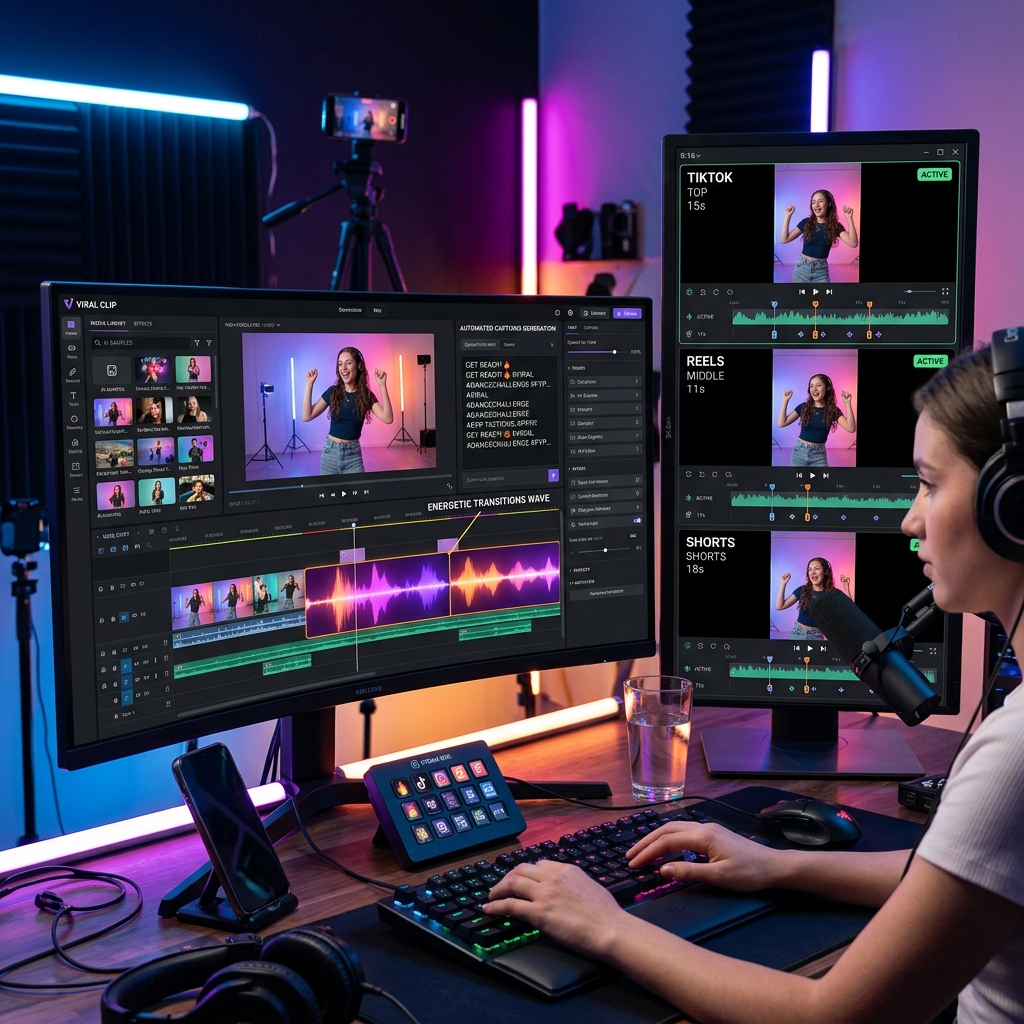
What Is the Best Free AI Short Video Generator for 2026?
A free AI short video generator is a cloud-based or desktop tool that leverages artificial intelligence to automatically produce short-form videos—typically lasting 15 to 60 seconds—from text prompts, images, or raw footage. Unlike traditional editing suites that require hours of manual work, these tools use machine learning models to generate scripts, suggest transitions, add background music, sync captions, and even create animated avatars. The core value for free users lies in the ability to produce polished, platform-ready content for TikTok, Instagram Reels, YouTube Shorts, and LinkedIn without spending a dime on software subscriptions or hiring a video editor. In 2026, as short‑video consumption continues to dominate online engagement, a free AI short video generator bridges the gap between creative ambition and limited budgets, empowering entrepreneurs, marketers, educators, and casual creators alike.
Short‑form video is no longer optional for brands or individuals—it’s the primary way audiences discover products, learn skills, and stay entertained. A free AI short video generator addresses this demand by removing the steep learning curve of professional editing. For example, a small business owner can input a product description and instantly receive a 30‑second ad with dynamic transitions and text overlays, all within minutes. Students can turn complex study notes into engaging summaries, while social media managers can churn out weekly Reels without overtime. As AI models improve, these free tools now offer surprisingly high‑quality output—sometimes rivaling paid alternatives—making them indispensable for anyone testing video content before committing to a budget.
Among the most generous free tiers, CapCut stands out with its AI‑powered auto‑captions, text‑to‑speech voices, and a library of templates for short videos. InVideo offers a free plan that includes AI script generation, scene‑by‑scene editing, and a huge stock media library, though exports carry a watermark. Canva has deeply integrated AI video features—like “Magic Design for Video” and instant subtitle generation—in its free tier, making it a versatile choice for those already using its design platform. Each of these tools provides a robust starting point, but free users should be aware of limitations such as watermarked exports, daily generation caps, and restricted access to premium templates or AI models.
What Can You Do for Free with Free AI Short Video Generator Tools?
Free versions of AI short video generators let you accomplish a wide range of tasks without any upfront payment. You can create a fully automated video from a text prompt: just type a sentence like “explain blockchain in 30 seconds” and the AI will generate a script, match it with stock footage, and produce a narrated video complete with background music. Many free plans also allow you to upload your own clips and apply AI‑powered features such as automatic scene detection, color grading, and transition suggestions. For example, you can transform a raw interview clip into a short highlight reel with AI‑cropped close-ups and smart subtitles—a huge time‑saver for content repurposing.
However, there are common restrictions. Watermarking is the most frequent limitation—InVideo, for instance, places a small “InVideo” logo on free exports, which can undermine professional branding. Daily export quotas are another hurdle: CapCut’s free tier limits cloud exports to 5 per day, while Canva restricts free users to 25 AI video generations per month. Access to advanced AI models is also tiered: you might only get the basic text‑to‑speech voices (e.g., standard, not human‑like), and premium templates—like those with complex animations or 3D elements—are locked behind subscriptions. Speed can be a factor too, with free users sometimes queued during peak hours. To work around these limits, plan your exports in advance, combine free tools (e.g., generate the video in one tool, then remove the watermark with a separate editor), or simply accept the watermark as a trade‑off for zero cost.
Realistically, the free tier is more than enough for testing ideas, building a personal portfolio, or maintaining a low‑volume content schedule. A freelance social media manager might use CapCut’s free version to produce three polished Reels per week for a local restaurant, while a teacher can create one educational short per day using Canva’s AI video feature for their classroom channel. If your output exceeds these quotas or you require watermark‑free, high‑resolution exports, it’s likely time to consider a paid plan—but for most beginners and small creators, the free version provides immense value without any financial risk.
Key Features of Free Free AI Short Video Generator Tools
- Text‑to‑Video Generation: The cornerstone feature. You provide a script or topic, and the AI automatically assembles a sequence of stock clips, animated text, and a voiceover. Tools like InVideo use natural language processing to understand your intent and pick relevant visuals from millions of royalty‑free assets. Free plans usually limit the number of scenes or the overall video length (e.g., up to 10 minutes total, but individual clips can be much shorter).
- AI Captioning & Subtitles: Automatic speech recognition (ASR) that transcribes your audio into on‑screen captions, often with style customization (font, color, position). CapCut offers this for free, with excellent accuracy even for non‑English languages. Free tiers may restrict the number of subtitle styles or add a small “Powered by AI” tag.
- AI Voiceover & Text‑to‑Speech: Generate human‑sounding narration from text without recording yourself. Canva’s free plan offers a selection of realistic voices (e.g., male, female, various accents). Limitations include fewer voice options in the free tier and a character limit per day (typically 2,000–5,000 characters).
- Smart Scene Transitions & Effects: AI suggests or automatically applies transitions (fade, slide, zoom) between scenes to keep the video dynamic. Free versions often offer a limited set of transitions (10‑20) and may force a random selection instead of letting you choose.
- Music & Sound Effects Library: Free plans include a selection of royalty‑free music tracks that automatically adjust to the video’s length and mood. CapCut provides an extensive library, but premium tracks are locked. The AI can also auto‑detect the video’s pacing and suggest a suitable background score.
- Template‑Based Editing: Pre‑made templates for different social media platforms (vertical 9:16 for Reels/Shorts, square 1:1 for TikTok, etc.). Free users typically get access to thousands of templates, but advanced templates with animated AI characters or premium design elements require a subscription. Canva and CapCut both shine here with huge template libraries.
Who Should Use Free Free AI Short Video Generator AI Tools?
Free AI short video generators are ideal for anyone who wants to quickly produce polished videos without investing in expensive software or professional training. The primary audience includes social media influencers and content creators who need a steady stream of short‑form content for platforms like TikTok and Instagram. Small business owners and marketers also benefit immensely—they can create product demos, behind‑the‑scenes clips, and promotional ads in minutes, all while maintaining a consistent brand aesthetic. Additionally, educators and trainers use these tools to turn lecture notes or course materials into engaging micro‑learning videos that students can digest on mobile devices.
For example, a fitness coach can use Canva’s free AI video feature to create daily workout teasers with automatic subtitles and energetic background music, growing their channel without hiring a video editor. A nonprofit organization can quickly produce a 20‑second call‑to‑action video for a fundraising campaign using InVideo’s text‑to‑video AI, even if they lack design skills. Job seekers can craft personal portfolio reels showcasing their work—a trend that’s become expected in creative fields. Even hobbyists making travel vlogs or family recaps will find free tools sufficient for occasional use.
However, if your video output exceeds 10–20 exports per week, or if you need watermark‑free, 4K resolution, and unlimited access to premium AI voices and templates, it’s time to consider a paid plan. Professional video agencies or brands that rely on client‑facing deliverables usually opt for a $10–$30/month subscription to remove all restrictions. For everyone else—especially beginners, side‑project creators, and budget‑conscious teams—free AI short video generators are more than adequate to start building an audience, testing content ideas, and learning the ropes of video production without any financial commitment.
Best Free AI Short Video Generator Tools & Software
Explore our curated selection of verified free short video generator solutions, offering generous free plans, freemium features, or zero-cost access.