
Free AI Script To Video AI Generator
The most advanced and reliable free AI-powered tools for script to video generator. Save time and budget with these vetted solutions.
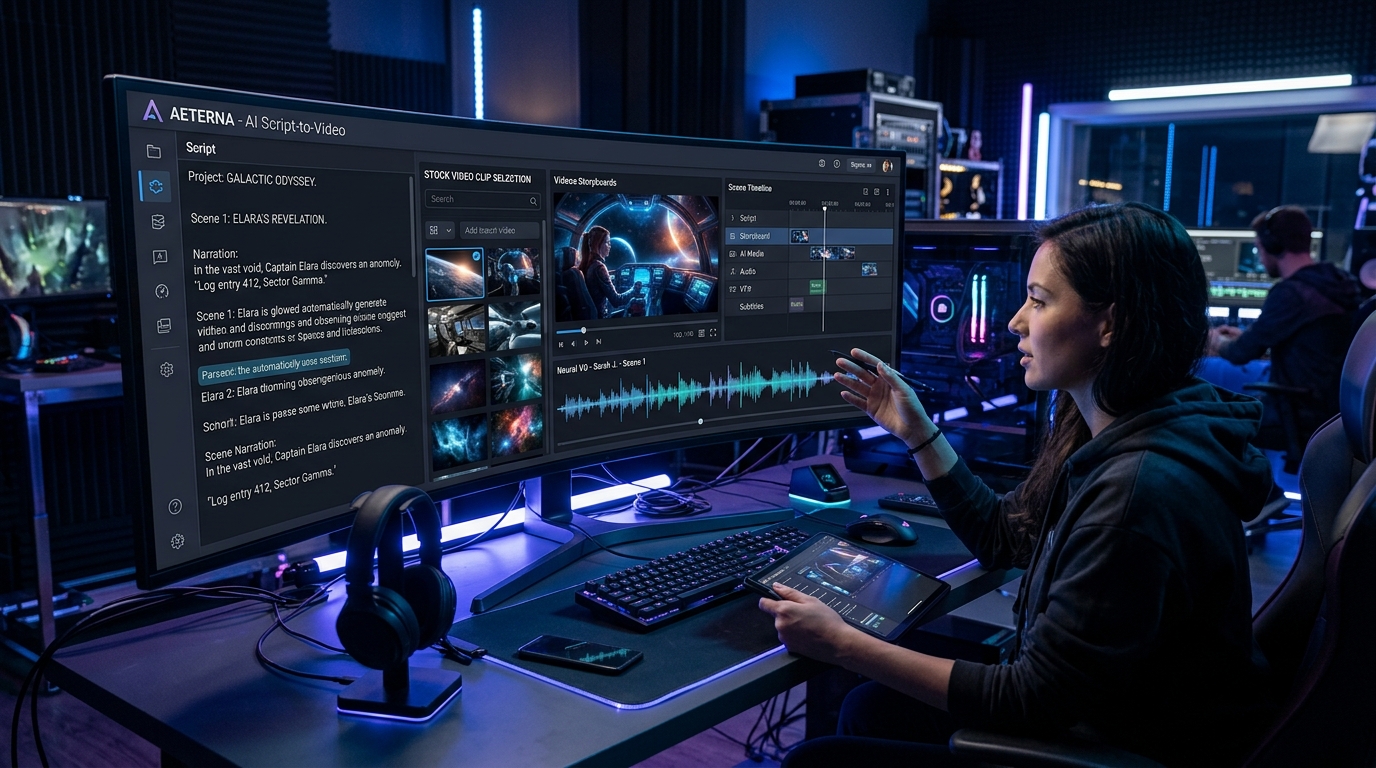
What Is a Free Script To Video AI Generator and How Can It Transform Your Content Creation?
A free Script to Video AI generator is a cloud-based tool that converts written text—such as blog posts, articles, social media captions, or even raw bullet points—into a fully produced video complete with AI-generated visuals, voiceovers, background music, and transitions. Unlike traditional video editing software that requires hours of manual work, these platforms use natural language processing and generative AI to analyze your script, automatically select relevant stock footage or generate animations, and synchronize them with a synthetic voice. For content creators, marketers, and educators working with tight budgets, the free tier offers a risk-free way to test whether AI-driven video production aligns with their workflow before committing to a paid subscription.
In 2026, the demand for short-form video content continues to explode across platforms like YouTube Shorts, Instagram Reels, TikTok, and LinkedIn. A free script-to-video AI generator enables anyone—even those with zero video editing experience—to produce professional-looking explainer videos, promotional clips, or educational content in minutes. The core value lies in speed and scalability: you can repurpose a single 1,500-word article into a 60-second video without touching Premiere Pro or Final Cut. Moreover, many free plans include basic customization options like font changes, color palettes, and voice selection, allowing you to maintain brand consistency without paying a cent.
Among the most popular free script-to-video tools, InVideo AI stands out for its generous free tier that lets you generate up to 10 minutes of video per week with an InVideo watermark. Pictory offers a free plan allowing you to create up to 3 projects per month with a maximum video length of 10 minutes each, though exports carry a small watermark. Kapwing also provides a free script-to-video workflow with a 4-minute export limit per video and a subtle watermark. Each of these tools gives you a taste of what paid plans offer, making them ideal for freelancers, small businesses, and students who need quick video content without upfront investment.
What Can You Do for Free with Free Script To Video AI Generator Tools?
With a free script-to-video AI generator, you can accomplish a surprising range of content production tasks. First, you can convert a blog post or article into a video summary: simply paste the URL or copy-paste the text, and the AI will extract key sentences, pair them with royalty-free stock footage, and generate a voiceover. For example, a travel blogger could turn a 1,000-word guide to “10 Hidden Beaches in Thailand” into a 45-second video with beach clips and a calm narration. Second, you can create social media ads or promotional videos from a few lines of script—like announcing a flash sale or a new product feature. The AI often includes a library of templates optimized for different aspect ratios (16:9, 1:1, 9:16) so you can export directly for YouTube, Instagram, or TikTok. Third, you can produce educational explainers: a teacher could take a lesson script about photosynthesis and generate an animated video with diagrams and text overlays, all without recording a single voice track.
However, free versions come with notable limitations that you should be aware of. The most common restriction is a visible watermark—usually the tool’s logo or a “Created with [Tool Name]” overlay—which can make the video appear less professional for branded content. Another frequent limit is export duration: free plans often cap videos at 3–5 minutes, which is fine for short clips but insufficient for longer tutorials or presentations. Quotas on monthly projects or exports are also typical; for instance, Pictory’s free tier allows only three projects per month, while InVideo AI limits you to 10 minutes of exported video weekly. Additionally, access to premium templates, advanced AI voices, or custom fonts is often locked behind a paywall. To work around these constraints, you can edit the script to be more concise, reuse the same project by updating the text, or accept the watermark for internal use or low-stakes social posts where branding isn’t critical.
Despite these limitations, the free tier is more than sufficient for many real-world scenarios. A startup founder testing different video ad concepts can produce 5–10 short variants per month without spending money. A YouTuber can create channel trailers or end screens using free tools. A non-profit organization can generate awareness videos for campaigns with limited budgets. In each case, the free version acts as a validation tool—you can gauge audience reaction, refine your script, and only upgrade when you need higher quality exports or more volume. Moreover, the free plans often include the core AI engine, so the quality of scene selection, voice synthesis, and pacing is identical to paid versions; only the output restrictions differ.
Key Features of Free Script To Video AI Generator Tools
- AI Script Parsing & Scene Mapping: The tool automatically breaks your script into logical segments and assigns relevant visuals. For example, if your script mentions “sunset over the ocean,” the AI will search its stock library for a sunset beach clip. This eliminates the need to manually storyboard or source footage, saving hours per video.
- Text-to-Speech Voiceover with Multiple Accents: Free tiers usually offer a selection of 10–20 AI voices in different languages and accents (US English, British English, Indian English, etc.). You can adjust the speed and pitch to match your brand tone. While these voices are not as natural as premium neural voices, they are clear and suitable for most corporate and educational content.
- Template Library for Different Platforms: Free users get access to a limited but still useful collection of pre-designed templates optimized for YouTube, Instagram, TikTok, and LinkedIn. You can customize colors, fonts, and text positions. Templates ensure your video looks polished without design skills.
- Auto-Captioning & Text Overlays: Most free tools automatically generate captions from your script and overlay them on the video. This is critical for accessibility and for social media users who watch without sound. You can edit the caption style, position, and timing.
- Background Music Library: Free plans include a curated selection of royalty-free music tracks that you can add to your video. You can adjust the volume or fade in/out. This eliminates the need to source music separately and worry about copyright claims.
- Direct Export to MP4 with Watermark: Free users can download their finished video in standard MP4 format. The file will include a watermark (usually in the corner or at the end). You can still upload to social media, but the watermark may affect branding. Some tools also allow sharing via a private link without downloading.
Who Should Use Free Script To Video AI Generator AI Tools?
Free script-to-video AI generators are ideal for a wide range of users who need to produce video content quickly and without financial commitment. The primary audience includes freelance content creators who manage multiple social media accounts and need to consistently post short videos. For example, a freelance Instagram strategist can create 10–15 Reels per week using InVideo AI’s free tier, each lasting under 60 seconds, to promote client services. Small business owners—such as local restaurant owners or boutique retailers—can generate promotional videos for new menu items or seasonal sales without hiring a video editor. Educators and trainers also benefit: a high school teacher can turn lesson notes into engaging video summaries for students, or a corporate trainer can create micro-learning modules for onboarding.
Another key segment is marketers and entrepreneurs who are experimenting with video marketing but are not yet ready to invest in paid tools. A startup founder can A/B test different ad scripts by generating multiple video variants with Pictory’s free plan, measuring which one drives more clicks before scaling up with a paid plan. Non-profit organizations with limited budgets can produce awareness videos for fundraising campaigns or community updates. Even large enterprises can use free tiers for internal communications—like weekly updates or training snippets—where a watermark is acceptable. Additionally, students and hobbyists who want to learn video production without purchasing expensive software can use these tools to practice storytelling and editing techniques.
However, there are scenarios where upgrading to a paid plan becomes necessary. If your brand requires watermark-free videos for client-facing projects or public advertising, the free watermark will be a dealbreaker. Similarly, if you need to produce more than 10 videos per month or videos longer than 5 minutes, the quotas will quickly become limiting. Advanced features like custom AI voice cloning, dynamic scene generation from specific keywords, or integration with your own stock footage library are typically reserved for paid subscribers. For professional video agencies or teams producing high-volume content, the free tier is best used as a trial before committing to a monthly subscription. Evaluate your monthly output, quality requirements, and brand standards to determine when it’s time to upgrade.
Best Free AI Script To Video AI Generator Tools & Software
Explore our curated selection of verified free script to video generator solutions, offering generous free plans, freemium features, or zero-cost access.