
Free AI Video to Video
The most advanced and reliable free AI-powered tools for video to video. Save time and budget with these vetted solutions.
What Are the Best Free Video to Video AI Tools for Creators in 2026?
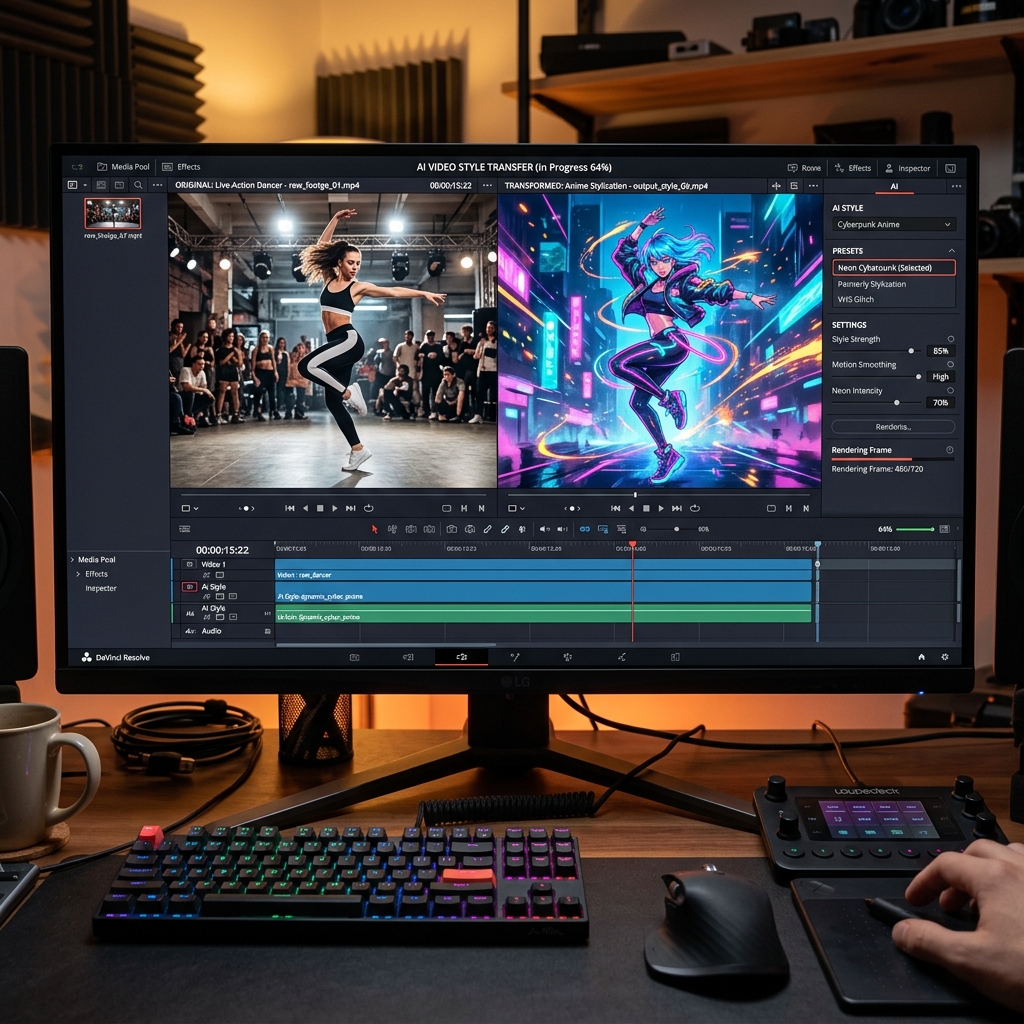
Free video to video AI tools represent a breakthrough in content creation, allowing users to transform an existing video clip into a completely new visual style while preserving the original motion and structure. Unlike traditional video editing, which requires manual frame-by-frame adjustments, these tools leverage generative artificial intelligence to reinterpret your footage—turning a live-action recording into an anime sequence, a realistic scene into a painterly masterpiece, or a standard talking head into a stylized avatar. This technology has democratized high-level visual effects, once reserved for professional studios with massive budgets, by putting powerful transformations directly into the hands of independent creators, marketers, and hobbyists.
In 2026, the demand for dynamic, engaging video content has never been higher. Social media algorithms favor unique and visually arresting posts, while brands increasingly rely on short-form video to capture attention. Free video to video tools address this need by enabling rapid experimentation—you can test dozens of aesthetic styles on a single piece of footage without expensive software or lengthy rendering times. For example, a travel vlogger might convert mundane cityscapes into cyberpunk landscapes, or a fitness instructor could turn workout clips into cartoon-like animations for children's content. The value lies in speed and accessibility: you upload a video, choose a style or prompt, and within minutes receive a transformed version ready for publishing.
Two standout examples in this space include Runway, which offers its Gen-2 model with a generous free tier for video-to-video stylization, and Pika, whose free plan allows you to apply artistic filters and modify scenes with simple text prompts. For those seeking open-source flexibility, Replicate hosts community models that can be run at low cost or with free credits for initial experimentation. These platforms provide enough horsepower to create professional-looking results without upfront payments, but come with usage caps and quality limitations that we’ll explore.
What Can You Do for Free with Free Video to Video Tools?
Free video to video tools unlock a surprising range of creative possibilities without requiring a credit card. You can start by applying artistic style transfers—turn a clip of a city street into an oil painting reminiscent of Van Gogh, or morph a nature scene into a watercolor illustration. Many free tiers support text-guided modifications, where you type "add a glowing aura" or "make it night time" and the AI adjusts color palettes, lighting, and textures accordingly. This is particularly useful for creating mood boards or concept videos before committing to a final production. For example, a musician could test different visual aesthetics for a music video by applying retro, futuristic, or abstract styles to a dance sequence, all within a single afternoon.
However, free versions come with notable limitations that you should plan for. The most common constraint is watermarking: platforms like Runway and Pika often embed a small logo or text overlay on exported videos, which can detract from professional use. Quotas are another issue—free accounts typically limit you to a handful of generations per day or a total of 5 to 10 minutes of transformed video per month. Processing speed may also be throttled, meaning your video could sit in a queue for several minutes while paid users get priority. Additionally, resolution caps are frequent: free tiers might restrict output to 720p or even 480p, which is acceptable for social media but insufficient for broadcast or print. Some tools also limit model selection, offering only basic styles while reserving advanced options like 3D-to-2D conversion or high-fidelity face preservation for subscribers.
Despite these restrictions, free video to video tools are more than adequate for many real-world scenarios. A small business owner creating a seasonal promotional video can afford a watermark if the clip is destined for Instagram Stories, where viewers scroll past quickly. An educator producing animated explainers for a YouTube channel might use free credits to generate 30-second loops that illustrate complex concepts like cellular mitosis or planetary motion. For prototyping, artists often rely on free tiers to refine their creative direction before upgrading. The key is to match the tool’s output quality to your distribution channel: if you’re posting on TikTok or LinkedIn, the minor trade-offs are easily overlooked.
Key Features of Free Video to Video Tools
- Style Transfer Presets: Most free tools offer a curated library of artistic filters—from cartoon and anime to impressionist and noir—that you can apply with one click. These presets are optimized for common aesthetics and require no prompt engineering, making them ideal for beginners. For instance, Pika’s Anime preset transforms realistic clips into cel-shaded animations with sharp outlines and vibrant colors, while Runway’s Cinematic filter adds film grain and color grading reminiscent of classic movies.
- Text-to-Video Prompt Integration: Advanced free tiers allow you to describe visual changes using natural language, such as "add rain and fog" or "change background to a futuristic city." The AI interprets these instructions and modifies the video accordingly, supporting both global and localized edits. This feature is particularly powerful for storytelling, as you can gradually evolve scenes without manual rotoscoping or keyframing.
- Motion Preservation: A critical technical achievement, free video to video tools maintain the original motion vectors of your footage, so that walking figures don’t jitter, camera pans stay smooth, and lip movements remain synchronized with audio. This is achieved through optical flow algorithms that warp generated frames to match the input video’s motion, a feature that was once exclusive to high-end VFX suites.
- Web-Based Interface: No software installation is required; all major free video to video tools operate in the browser, supporting drag-and-drop uploads from your computer or cloud storage. This reduces entry barriers for users on older hardware or operating systems, and ensures that updates and new models are available instantly without manual patches.
- Clip Length and Resolution Limits: Free versions cap output at 15 to 30 seconds per generation and resolutions up to 720p. While this limits potential for feature-length projects, it’s perfectly suited for social media clips, GIFs, and short promotional videos. Some platforms like Runway allow you to stitch multiple free generations together manually if you need longer sequences.
- Community and Tutorial Access: Free accounts typically grant access to community galleries where you can view others’ creations, learn prompt techniques, and fork existing projects. This social learning component accelerates skill development and sparks inspiration, making it easier to achieve professional-looking results without formal training.
Who Should Use Free Video to Video AI Tools?
Free video to video AI tools are ideally suited for a diverse range of users, from social media influencers and content marketers to educators and indie filmmakers. The primary audience includes creators who need to produce high volumes of visually distinctive content on a tight budget—think TikTok and Reels creators who upload daily but lack access to expensive animation software. For these users, the free tier provides a rapid prototyping lab where they can test up to ten different aesthetic directions for a single piece of content before deciding which version to refine. Similarly, small marketing teams can use free tools to create localized video variants for A/B testing; for instance, a brand might generate a "retro 80s" and a "minimalist modern" version of the same product demo to see which resonates better on Instagram.
By profile, the benefits break down as follows: hobbyists and students can explore video AI without financial commitment, learning the nuances of prompt engineering and style selection through trial and error. Freelancers can use free tools to create sample reels that demonstrate their creative range to potential clients. Nonprofit organizations can transform archive footage into engaging campaign videos without draining their limited budgets. For example, an animal rescue group could use a free video to video tool to turn adoption clips into heartwarming watercolor animations that boost shareability on social platforms. The low risk of free tiers encourages experimentation, which often leads to unexpected creative breakthroughs.
That said, there comes a point when free limitations become a roadblock. If you find yourself regularly hitting generation quotas, needing higher resolutions for client deliverables, or requiring watermark-free exports for commercial licensing, it’s time to consider a paid plan. Additionally, creators working with longer narrative content—such as a 10-minute short film—will quickly exhaust free clip length caps. The transition to a paid subscription typically unlocks unlimited generations, 4K output, faster processing, and priority support, which can be justified by the increased professional output. However, for the vast majority of entry-level and intermediate use cases, free video to video tools deliver remarkable value, bridging the gap between imagination and visual reality without requiring a single financial transaction.
Best Free AI Video to Video Tools & Software
Explore our curated selection of verified free video to video solutions, offering generous free plans, freemium features, or zero-cost access.